

We use essential cookies to make this site work. We would also like to use optional analytics cookies to improve our services. You can accept or reject non-essential cookies. Learn more

    AI-Powered Tender Platform in Morocco

    Win yourtendersin Morocco with AI.

    Your tenders, from document analysis to preparing your response.

    Monitor available Moroccan public sources. BidTender helps you read specifications, gather documents and draft your bid. You review, you submit.

    Monitoring filtered by activity
    Documents and criteria together
    Reusable company profile
    Your tender watch in Morocco

    Public procurement, closer to the field.

    Hover or tap a city or territory

    Atlantic Ocean
    TangerRegional count: ; list limited to the exact local execution locationOujdaRegional count: ; list limited to the exact local execution locationFèsRegional count: ; list limited to the exact local execution locationRabatRegional count: ; list limited to the exact local execution locationCasablancaRegional count: ; list limited to the exact local execution locationMarrakechRegional count: ; list limited to the exact local execution locationAgadirRegional count: ; list limited to the exact local execution locationLaâyouneRegional count: ; list limited to the exact local execution locationDakhlaRegional count: ; list limited to the exact local execution locationN

    Open tenders by region, local notices by city · Natural Earth

    Data temporarily unavailable.

    Discover

    From discovery to published results

    Targeted monitoring, an organised file and access to available results. Decisions remain yours.

    Sectors covered by the platform

    • Construction
    • IT
    • Healthcare
    • Energy
    • Agriculture
    • Transport
    • Water
    • Telecoms
    • Education
    • Local authorities

    What does your sector need?

    Before submission

    One journey, from opportunity to review-ready file

    Discover, check and prepare. Your team retains control of every decision and the final review.

    1. 3D illustration: a radar sweeps tender documents and highlights the ones matching the company1

      1. Detect the right tenders

      Filter by sector, city, buyer and budget. Set alerts to find opportunities relevant to your activity.

      Outcome: a short list of opportunities to study, with no manual monitoring.

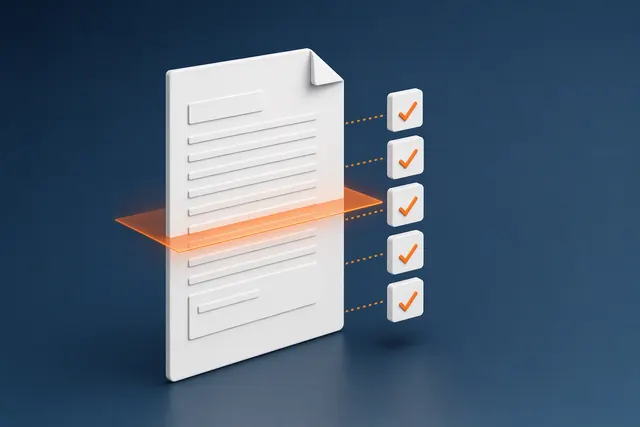
    2. 3D illustration: an analysed specification with the list of requirements and documents ticked in orange2

      2. Analyse the consultation file

      Open Data, Eligibility and Calendar: required documents, bid bonds, criteria and deadlines. Check the source documents.

      Outcome: a clear decision sheet with blocking points flagged.

    3. 3D illustration: a complete, sealed bid folder ready to be submitted3

      3. Prepare and submit the file

      Prepare documents from your profile, track progress and work on the price schedule, technical proposal and presentation with the file assistant.

      Outcome: a complete file, reviewed by your team, submitted on time.

    Anatomy of a response

    From requirements to the documents you prepare.

    An instruction, a commitment, a document to support it. Explore the links between the received file and your response.

    Document table
    In the received file

    What you receive.

    In your response

    What you prepare.

    Document 01 / 04 · In the received file

    Invitation to tender

    Submit a complete response before the stated deadline, using the authorised channel.

    In your response

    Submission plan

    Prepare the submission, not just the documents. Document checklist and pre-submission checks.

    Document 01 / 04 · Notice & invitation. Choose a document. Click its sheet to read.

    01 / 04 · The framework

    Start with the submission.

    What you need to understand

    The deadline, submission channel and required documents shape your preparation from the start.

    Submission plan · Document checklist and pre-submission checks

    What to watch for

    A finished bid is not a submitted bid. Check the submission conditions and keep the receipt.

    Illustrative file: each document helps you prepare your response.

    Apply this workflow to your next bid.

    Before / With BidTender

    Change your method, not your profession

    Less scattered work. More continuity. Explore how monitoring, reading and documents come together in one process.

    From scattered to structuredBefore

    BeforeInformation to gather

    With BidTenderA process to follow

    Portal searches
    Monitoring filters
    Notices to browse
    Targeted alerts
    Links to find again
    Notices to review
    Before

    Open the portal, repeat searches and identify relevant notices on each visit.

    With BidTender

    Set monitoring filters, find alerts related to your activity and review the scope, location and deadline before selecting a notice.

    Requirements identified, documents gathered and a response ready to review.

    Apply this workflow to your next bid.

    Estimate your gain

    How many hours does your team spend on tenders?

    Estimate the time and capacity you could free up, based on your activity and costs.

    Typical profiles

    40 tenders
    24 h
    300 MAD

    Yearly estimate

    Hours per month, today and with Bidtender

    Time todayWith Bidtender
    J
    F
    M
    A
    M
    J
    J
    A
    S
    O
    N
    D
    +768 hrecovered per year
    With BidtenderHours saved

    Hover a month to see the detail

    Hours freed
    768h
    Working days
    96
    Cost avoided
    230,400MAD
    Additional files you could handle
    160tenders

    Estimated time and capacity based on your assumptions, excluding subscription and setup.

    How is this estimate calculated?

    Calculated using an 80% reduction rate. Freed hours = annual tenders × hours per response × 80%. Their value uses your hourly cost; one day is 8 hours. Additional capacity assumes comparable files, not contracts won. Monthly distribution is illustrative; results vary by tender.

    Refine this estimate with your team.

    After submission

    A published result. A better-informed next decision.

    Return to award records, understand market participants and identify markets worth exploring. Use publications to inform your next commercial decision.

    The question to explore

    Who was awarded the contract?

    Read the available result and check the award record for the named awardee and amount.

    For your next decision

    Document your review of this tender before preparing the next one.

    Read the result
    Starting point
    Published result and available award record
    What you can work with
    An award decision and amount to check in the source document.

    Without a record or reported data, do not assume an award is confirmed.

    The decision remains yours: publications inform analysis, but guarantee neither commercial opportunities nor contract wins.

    Apply this workflow to your next bid.

    Use cases

    Your business. A concrete tender task to move forward.

    From administrative documents to pricing, choose the workflow that matches your team’s work.

    Construction companyPrepare documents without starting from scratch.Working deliverablePrefilled documents to checkThe workflow
    1. Gather company information in your profile.

    2. Open administrative documents and prefill detected fields.

    3. Check the values and export the prepared documents.

    Prefill quality depends on the document. Every value still needs validation.

    Engineering consultancyTurn requirements into a technical response.Working deliverableTechnical proposal draft to reviewThe workflow
    1. Examine tender criteria and requirements.

    2. Structure a technical proposal draft in the writing workspace.

    3. Review, complete and check the response before exporting it.

    Analysis assists reading; it does not certify your company?s eligibility.

    Supplier / integratorStructure the pricing of your offer.Working deliverableCompleted price schedule to verifyThe workflow
    1. Open the tender’s price schedule and examine the items to price.

    2. Enter prices and check units, quantities and amounts.

    3. Export the schedule for review alongside the other bid documents.

    Pricing and approval remain your responsibility. No automated submission.

    Which tender task would you like to prepare with your team? Start with the way you work.

    Explore your workflow in a demo

    Security and confidentiality

    Your files remain yours

    Hosting, access and document processing: points to agree with your team.

    • Hosting

      Ask for the hosting regions and providers applicable to your offer.

    • Isolation per organisation

      Access is organised by company workspace and role. Review permissions with your team.

    • Data protection

      Specify your requirements for protecting exchanges and retention during technical review.

    • AI processing

      The assistant works in the context of the file. Ask about processing and retention before submitting sensitive information.

    • Regulatory framework

      Review Law 09-08 and the obligations applicable to your data processing.

    • Contractual framework

      Review contractual commitments, terms of service and the privacy policy.

    Let’s clarify your working requirements.

    Frequently asked questions

    What companies ask us before getting started

    The short answers below cover the questions most often raised during demos.

    Which tenders does BidTender monitor?

    Notices published on Moroccan public portals, first of all the national public procurement portal, are collected daily. You then filter by sector, city, buyer and budget to follow only the deals that concern you.

    How long does it take to analyse a consultation file?

    Timing depends on document volume, format and quality. Analysis helps identify documents, criteria and deadlines. Check extracted information before deciding.

    Which documents does the platform prepare?

    Recurring administrative documents (sworn statement, certificates, references, company presentation) are prefilled from your profile. Technical and financial documents remain written by your team, with progress tracked per document.

    How does pricing work?

    Request terms matching your team and usage. Scope, limits and support arrangements should be confirmed in the offer.

    Where is our data hosted?

    Read the privacy policy and request the technical and contractual information needed for your internal review.

    How do we get started?

    Book a demonstration to explore the workflow and discuss the documents you want to evaluate.

    Are price schedules and technical proposals supported?

    Workspaces cover the price schedule, technical proposal and presentation. Your team remains responsible for prices, evidence and final validation.

    What happens after submission?

    Read available results and award minutes, explore competitor history and follow market trends. Availability depends on source publications.

    Is the platform available in Arabic and English?

    This website is available in French, English and Arabic. Check the language coverage of application modules and your documents during a demonstration.

    Another question? Write to us

    Let’s discuss your organisation

    See how to prepare your next tender file

    A demonstration to explore the workflow, ask questions and identify useful modules for your team.